Can Starlink support add a referral code for you?
Reading a code out to support, or pasting it into chat, isn't a route Starlink's terms recognize. The link is. Here's why, and what support is still good for.
Key takeaways
- Starlink's US terms say the order must be placed “using the Unique Referral Link” and that “no other referral mechanism shall qualify”.
- Starlink's help pages describe no phone, chat or email route for applying a referral code.
- A third-party guide says a referral can't be added after the order is placed.
- Support is still the right call for account, address, billing and order questions, and for asking about your situation before you pay.
- The reliable route: open the link yourself and check for “Referral Code Applied” before paying.
On this page
No route Starlink publishes lets support add a referral code for you, by phone, chat or email. Starlink’s US Referral Program Terms say the new customer must place the order “using the Unique Referral Link provided by the Referrer” and that “no other referral mechanism shall qualify.” So the dependable way is to open the customer’s referral link yourself, in the browser you’ll pay in, and check for “Referral Code Applied” before you pay. Support is still useful for plenty of other questions; it’s just not a code-entry desk.
What the Referral Terms say
The current US terms (published October 3, 2026, on Starlink’s legal page) set out how a referral qualifies in section 3.1. Item (b) is the one that matters here:
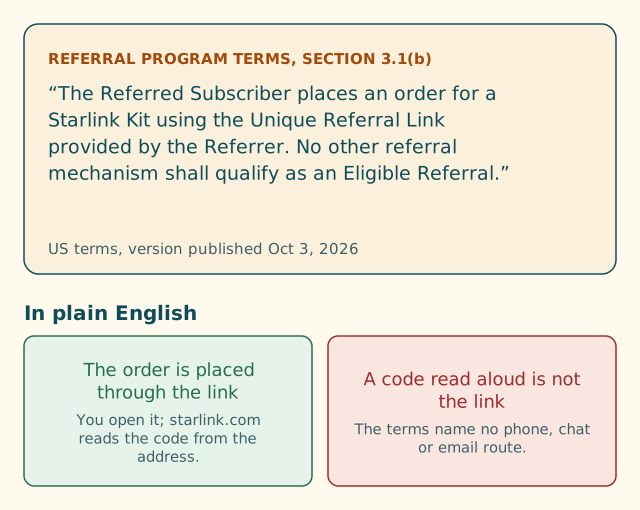
Two phrases do the work:
- “places an order … using the Unique Referral Link.” The order itself goes through the link. Not an account note, not a call.
- “No other referral mechanism shall qualify.” This closes the door on alternatives. A code read to an agent is another mechanism.
The terms define the Unique Referral Link as the personalized hyperlink or code generated for a Referrer through the SpaceX Customer Portal or other authorized channel for the purpose of tracking referrals under the Program.
Some people read “or code” as permission to use the code anywhere. But the definition only says what the thing is; section 3.1(b) says how it’s used: to place the order. And Starlink’s help article for new customers gives exactly one route, starting with: “Open the unique referral link you were sent.”
That’s our reading of Starlink’s own text. We’re not lawyers and this isn’t legal advice, but the wording is unusually plain.
Why the link is the route
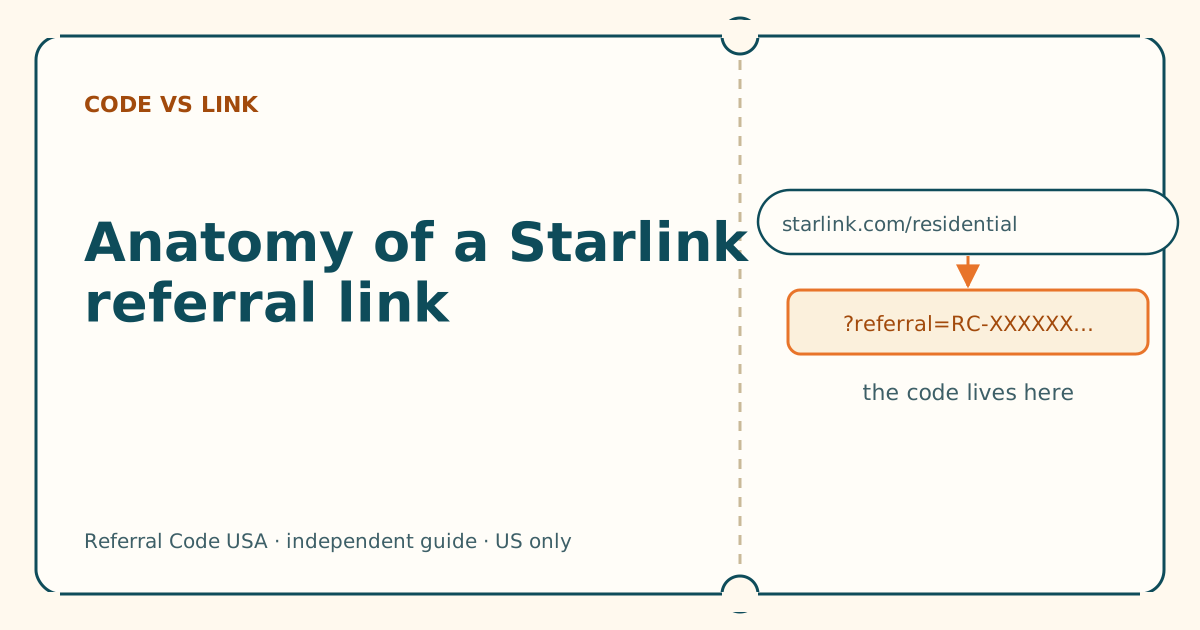
Think about what the link does mechanically. The code sits at the end of the web address (?referral=RC-…). When you open it, starlink.com reads that code and, according to a third-party walkthrough, shows a banner saying you’re using a referral link and “Referral Code Applied” on the order page. The referral is attached at the moment the order is created, by the website, with no human in the loop.
A phone or chat route would need an agent to attach a referral to an order by hand. Starlink doesn’t describe any such process in the help articles we read, and the terms’ “no other referral mechanism” line suggests it isn’t meant to exist. The program is also strict about fraud: the terms let Starlink cancel referrals it judges not to be bona fide new customers. A manual route would be an obvious weak point, which may be part of why there isn’t one.
What about after the order?
This is where most support calls about referrals come from: someone ordered, then realized they forgot the link. A third-party guide to the program states plainly that there is no way to add the referral later. Starlink doesn’t publish a process for it either. You’re free to ask support, and we’d rather you ask than assume, but go in expecting a no.
If you’re still inside the 30-day return window for a kit bought on starlink.com, Starlink’s terms of service allow a full refund, including the first month’s fee. Whether returning and reordering through a link would count you as a “new” customer isn’t addressed by Starlink, and the referral terms require that you have never been a subscriber. We don’t recommend trying it as a workaround.
What support can still help with
Starlink’s support is the right place for questions about your own order and account. Before you order, it’s reasonable to contact them about:
- Your service address. Whether service is available where you’ll use the dish, and how the address is entered. (See what a service address is.)
- Plans. Which plan suits how you’ll use it, and whether a plan is on the referral list. (Our plan-by-plan table shows the list as Starlink publishes it.)
- Your account. Sign-in problems, duplicate accounts, or an old account you’d forgotten about (which matters, because returning customers aren’t eligible for a referral).
- A link that won’t attach. If you’ve worked through every check and “Referral Code Applied” still isn’t showing, ask before you pay. They may be able to tell you something about your account or address that you can’t see.
After you order, support handles billing, activation, hardware and returns.
How to reach the real support
Use contact options you reach from starlink.com itself: your account page, the Starlink app, or the contact links inside Starlink’s help center. Starlink’s help center warns about phishing and says it will never ask you to share personal information in a text, email or phone call, and that account details should only be entered on starlink.com or the Starlink apps. It also says not to trust anyone selling a prepaid Starlink bundle over the phone, because Starlink does not sell prepaid multi-month service plans over the phone or through external websites.
What to say when you contact support
Support conversations go faster when you’re specific. Some examples:
- Before ordering, link won’t attach: “I’m a new customer. I opened a referral link on starlink.com, the address shows
?referral=RC-…, but I don’t see the referral on the order page. My service address is in the US and I’m ordering [plan]. Is anything on my side stopping it?” - Checking eligibility: “I had a Starlink account a few years ago that I cancelled. Am I a new customer for the referral program?” (Starlink’s help article says returning customers aren’t eligible; support can confirm your account history.)
- After ordering, forgot the link: “I placed order [number] without using a referral link. Is there any way to apply one now?” Expect a no, based on a third-party guide; asking costs nothing.
Never share your password, a full card number or a one-time code in a support chat you reached from anywhere other than starlink.com or the Starlink app.
When support can and can’t help
| Moment | Can support attach a referral? | Can support help otherwise? |
|---|---|---|
| Before you’ve opened a link | No published route | Yes: plans, address, account questions |
| Link opened, referral not showing | No published route to attach it by hand | Yes: they may see an account or address issue |
| Order placed without a referral | A third-party guide says no | Yes: order, billing, returns |
| Order placed with a referral | Not needed | Yes: anything about the order |
If you’d rather talk to someone while you order
Plenty of people prefer a human. You can have both:
- Get the link first. Ask your friend or relative for their full referral link (copied from their account’s Referrals page, not retyped).
- Open it yourself on the device you’ll pay with. Check the address bar shows starlink.com and ends with
?referral=RC-…. - Go through the order screens with someone beside you, or with support on the line for general questions.
- Before paying, look for “Referral Code Applied.” If it’s there, the referral is attached. If it isn’t, stop and work through the six-question check.
The person helping doesn’t need to touch the order. Our guide on helping someone order covers that in detail.
Common mistakes
- Calling instead of opening the link. You lose the one route the terms describe.
- Pasting the code into chat and assuming it’s done. Nothing confirms it’s attached. The order page is the only confirmation we know of.
- Trusting a “Starlink support” number from an ad. Use contact routes inside starlink.com.
- Waiting until after ordering to sort out the referral. By then, per a third-party guide, it’s too late.
What we don’t know
- Whether Starlink support has any internal way to attach a referral in unusual cases. Starlink doesn’t say, and we haven’t confirmed one exists. If it does, it isn’t a published process, and nobody should promise it to you.
- What the order page shows in every situation. The “Referral Code Applied” wording comes from a third-party guide, not Starlink’s help center.
What to do next
Open the link, follow our where-to-enter walkthrough, and check for the confirmation line before you pay. If you only have the bare code, here’s what to do with a code sent by text.
Questions people ask
Can I call Starlink and give them a referral code?
Starlink's terms say the order must be placed using the referrer's Unique Referral Link and that no other referral mechanism qualifies. Its help pages describe no phone route for applying a code. Open the link yourself instead.
Can Starlink chat support apply a referral code?
Nothing Starlink publishes says chat can apply one. The help article on using a referral link starts with opening the link, and the terms say no other method counts.
Can support add a referral code after I've ordered?
A third-party guide to the program says there's no way to add the referral later, and Starlink publishes no process for it. You can still ask support about your order, but don't count on it.
Does Starlink sell service or discounts over the phone?
Starlink's help center warns not to trust anyone who tries to sell a prepaid Starlink bundle over the phone, and says Starlink doesn't sell prepaid multi-month plans over the phone or through external websites.
How do I contact Starlink support?
Through your account on starlink.com or the Starlink app, or the contact options linked from Starlink's help center. Avoid phone numbers from ads or search results you can't trace back to starlink.com.
Related guides
Anatomy of a Starlink referral link, piece by piece
Five parts, one job. Once you can read the address, you can tell a working referral link from a broken or fake one in seconds.
Why isn't my referral code showing? Six questions
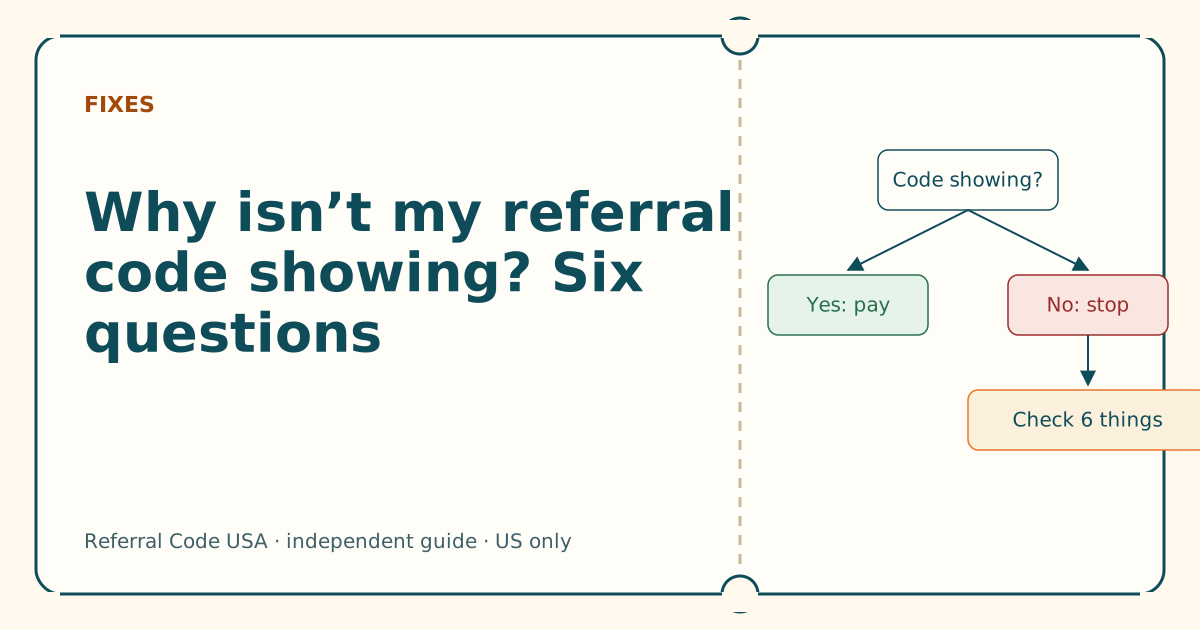
Answer six yes-or-no questions in order. The first “no” is almost always your cause, and each one has a fix you can do in a minute.
Seven mistakes people make with a Starlink referral code
Most failed referrals come down to the same handful of habits. Here's each one, why it breaks the referral, and what to do instead.
Sources
What we read for this article, and when. Prices on this site come from one data file, re-read at least every 30 days.
- Referral Program Terms, US (DOC-1882-84808-83), retrieved
- How do I use a referral link? (Starlink help center), retrieved
- Phishing or suspicious emails or texts claiming to be from Starlink (Starlink help center), retrieved
- How to Use Starlink's Referral Program (DISHYtech, third-party guide), retrieved
- Starlink legal documents for the US (list with publish dates), retrieved
Spotted something out of date? Report it, and see how we check claims.
Independent · not affiliated with SpaceX. Referral Code USA is an independent site. Some pages may show our own Starlink referral code; if you order with it, we may receive a referral reward from SpaceX. That never changes what an article says, and articles about scams carry no code at all. How we make money.