Someone texted you just the RC- code. What now?
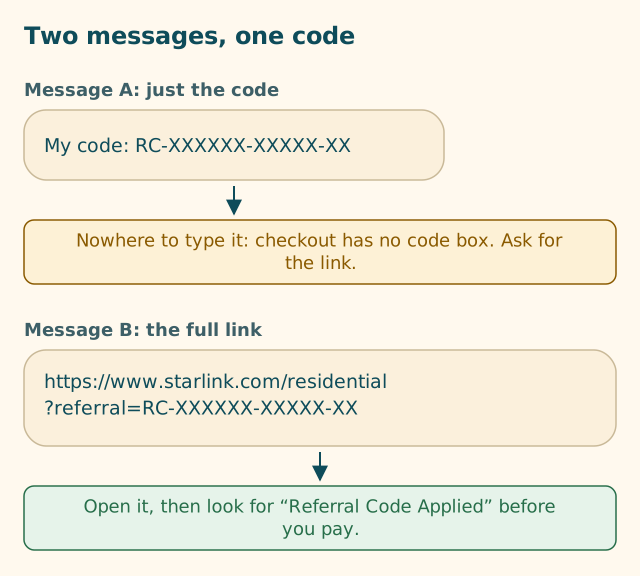
A code on its own can't be typed in anywhere. Ask for the full link, check it, then open it in the browser you'll pay in.
Key takeaways
- A Starlink referral code (RC-…) works inside its link. We found no box at US checkout to type it into.
- Reply and ask for the full link, copied from Starlink's Referrals page or app, not retyped.
- A real link starts with https://www.starlink.com or https://starlink.com and ends with ?referral=RC- followed by the code.
- Open it in the browser you'll pay in, and look for “Referral Code Applied” before you enter card details.
- Building the link yourself from the bare code is untested territory. Starlink doesn't say whether it counts the same.
On this page
If someone texted you only a code like RC-XXXXXX-XXXXX-XX, you can’t use it as it is: we found no box at Starlink’s US checkout to type a referral or promo code into, and Starlink’s own steps start with opening the link. Reply and ask for the full referral link, copied from their Starlink account. When it arrives, check that it goes to starlink.com, open it in the browser you’ll pay in, and look for “Referral Code Applied” on the order page before you pay.
That’s the whole answer. The rest of this page explains why the bare code isn’t enough, exactly what to send back, how to tell a real link from a fake one, and what to do if the sender has gone quiet.
Why the bare code needs its link
Starlink’s US Referral Program Terms define the referral as a single thing that can take two forms. Section 2 calls it the “Unique Referral Link” and describes it as the personalized hyperlink or code generated for a Referrer through the SpaceX Customer Portal or other authorized channel for the purpose of tracking referrals under the Program.
So far, so good: “or code” suggests the code alone might do. But section 3.1(b) says how an order qualifies: the new customer places an order for a Starlink Kit using the Unique Referral Link provided by the Referrer. No other referral mechanism shall qualify as an Eligible Referral.
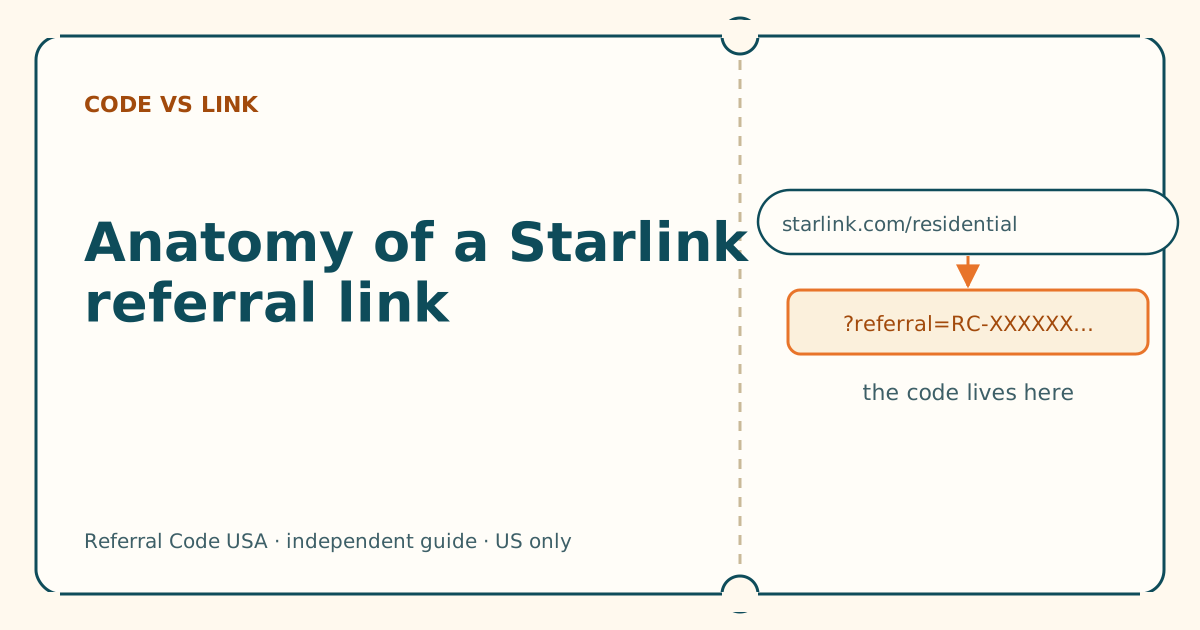
And Starlink’s help article on using a referral link gives new customers three steps, the first of which is: “Open the unique referral link you were sent.” There’s no step that says “enter the code”. In practice, the code rides inside the web address as ?referral=RC-…, and starlink.com reads it from there when the page loads. That’s our reading of Starlink’s own steps, and it matches what we found at checkout: there’s no field labelled “promo code” or “referral code” to paste it into.
What you get if it works
For a new customer with a US service address who orders on starlink.com, the referral gives one free month of service on the eligible plan you choose, credited to the second bill. Eligibility details and timing are a separate topic; this page is about getting the code onto your order.
What to ask the sender for
Most people who text a bare code do it because the code looks like “the thing” and the link looks long and messy. They’re happy to send the link once asked. Send something like this:
Thanks! Could you send the full link instead of the code? It’s under Referrals in your Starlink account (website or app). Just copy and paste it, please don’t retype it.
Three details in that message matter:
- “The full link.” Not a screenshot, not the code again. You need text you can tap or paste.
- “Under Referrals in your Starlink account.” Starlink’s referral help page tells existing customers to start referring from their account’s Referrals section, on the web or in the app. That’s where the genuine link lives.
- “Copy and paste, don’t retype.” Retyping is where characters go wrong. A copied link carries every character exactly.
If they reply with a shortened link (something like a bit.ly-style address), ask once more for the full starlink.com link. A short link hides where it goes, and some shorteners or chat apps strip the part after the question mark. Our guide to shortened referral links covers why.
If you can’t reach the sender
You have three honest options:
- Wait. There’s no deadline on your side. Starlink’s terms can change on 30 days’ notice, but nothing about a referral expires the day someone texts you.
- Ask someone else you know who has Starlink for their link. Every current customer has their own.
- Order without a referral. You’ll pay the same prices; you just won’t get the free month.
What not to do: don’t buy a code, don’t use a stranger’s link from a comment thread you can’t verify, and don’t sign into someone else’s account to “use” their referral. Those routes either fail or put your money and details at risk. See never pay for a referral code.
What a genuine link looks like
A real Starlink referral link has four parts you can check by eye:
| Part | What you should see | Why it matters |
|---|---|---|
| Start | https:// |
A secure connection to the site |
| Website | www.starlink.com or starlink.com, and nothing after .com except / |
Anything else is a different website |
| Page | Usually /residential or /roam |
Which plan page opens first |
| Code | ?referral=RC- then groups of characters |
This is the code. If it’s missing, there’s nothing to apply |
Put together, the shape is:
https://www.starlink.com/residential?referral=RC-XXXXXX-XXXXX-XX
(The X’s stand in for the real characters. We never print anyone else’s code.)
The format of the code itself, RC- followed by groups of digits, comes from a third-party retailer’s page that shows a real link; Starlink doesn’t publish a format spec. If the code you were sent doesn’t start with RC-, it isn’t a Starlink referral code. It may be a store coupon or something made up. For a full breakdown of every piece of the address, see anatomy of a Starlink referral link.
Can you just paste the code onto a starlink.com address yourself?
You can technically type https://www.starlink.com/residential?referral= and paste the code after it. Whether Starlink treats that hand-built link the same as the one copied from the customer’s account isn’t published anywhere we could find. It may work; we haven’t confirmed it, and we won’t tell you it does. The link copied from the customer’s account is the version Starlink’s steps describe. Use that if you can get it.
Checks before you tap
Text messages are a favorite channel for scams, including fake Starlink messages. Starlink’s own help center says it never asks for account or payment details by text, and that if a text links to a URL that you don’t recognize, don’t click it.
A referral link from a friend is different, but run these checks anyway:
- Is it from someone you actually know? A referral from a friend or relative makes sense. A “code” from an unknown number usually doesn’t.
- Preview the address. On most phones you can press and hold a link to see where it goes without opening it. On a computer, hover over it.
- Read the website name. It should be exactly starlink.com.
starlink.com.something-elseorstarlink-dealsare other sites. Our look-alike domain guide shows the common tricks. - Paste it into our checker if unsure. The link and code checker runs in your browser and tells you whether the address goes to starlink.com and whether a code is inside. It can’t tell you whether a code is live; only Starlink’s order page can.
Open it in the right place
Once you have a link that checks out:
- Open it on the device and browser you’ll order with. If you tap it on your phone and later order on a laptop, the code isn’t on the laptop. Whether starlink.com remembers a referral between visits isn’t something Starlink documents, so don’t rely on it.
- Check the address bar after the page loads. The
?referral=RC-…part should still be there. Some in-app browsers (inside messaging or social apps) open links in their own mini-browser; if you want to finish in your normal browser, copy the link and paste it there. - Look for the confirmation. A third-party walkthrough reports a banner at the top of starlink.com saying you’re using a referral link, and “Referral Code Applied” on the order page before you submit. If you can’t see it, stop before paying and go through the six-question check for a missing code.
Our where-to-enter walkthrough goes screen by screen.
Common mistakes with a texted code
- Searching for a promo box. It isn’t hidden; we found none. Time spent hunting is time you could spend asking for the link.
- Pasting the code into a coupon site or search box. It doesn’t reach Starlink from there.
- Copying the link with extra characters. A trailing period or quote mark from the message can sneak in. See copying a link on a phone.
- Assuming you can add it later. A third-party guide says there’s no way to add a referral after the order is placed. Get it right first.
What we don’t know
- Whether a link you build by hand from the bare code counts. Not published.
- Whether a referral opened in a phone browser carries over if you finish the order in the Starlink app. Not published.
- Whether the code is case-sensitive or tolerates a typo. Not published, and we won’t guess. Copying is the fix.
If you test any of these and get a clear result, tell us and we’ll update this page with the date.
What to do next
- Reply to the text and ask for the full link (copy the message above).
- Run it through the checker or read it against the table on this page.
- Open it in the browser you’ll pay in and follow the where-to-enter walkthrough.
Questions people ask
Can I just type the RC- code at Starlink checkout?
We found no box for it. Starlink's own steps for new customers start with opening the referral link, and the code reaches checkout inside that web address. A code on its own has nowhere to go.
Can I build the link myself by adding ?referral= and the code?
Some people do, but Starlink doesn't say whether a link you assemble by hand counts the same as the one the customer copied from their account. The safe route is to ask the sender for the link itself.
Where does the sender find their full link?
In their Starlink account, under Referrals, on starlink.com or in the Starlink app. They can copy it there and paste it into the message instead of typing the code.
Is it safe to tap a referral link someone texted me?
Check it first. Press and hold (or hover) to preview it, and only open it if the address goes to starlink.com. If it points anywhere else, or it's a shortened link you can't read, don't open it and ask for the full starlink.com link.
Does the person who sent the code see my details?
Starlink says the customer gets an email when someone buys through their link. It doesn't publish what that email shows about you, so we can't confirm whether your name appears.
What if the person who sent the code isn't replying?
Don't guess. Wait for the link, use a link from someone else you know who has Starlink, or order without a referral. A referral can't be added after the order is placed, according to a third-party guide.
Related guides
Anatomy of a Starlink referral link, piece by piece
Five parts, one job. Once you can read the address, you can tell a working referral link from a broken or fake one in seconds.
Copy a referral link on your phone without breaking it
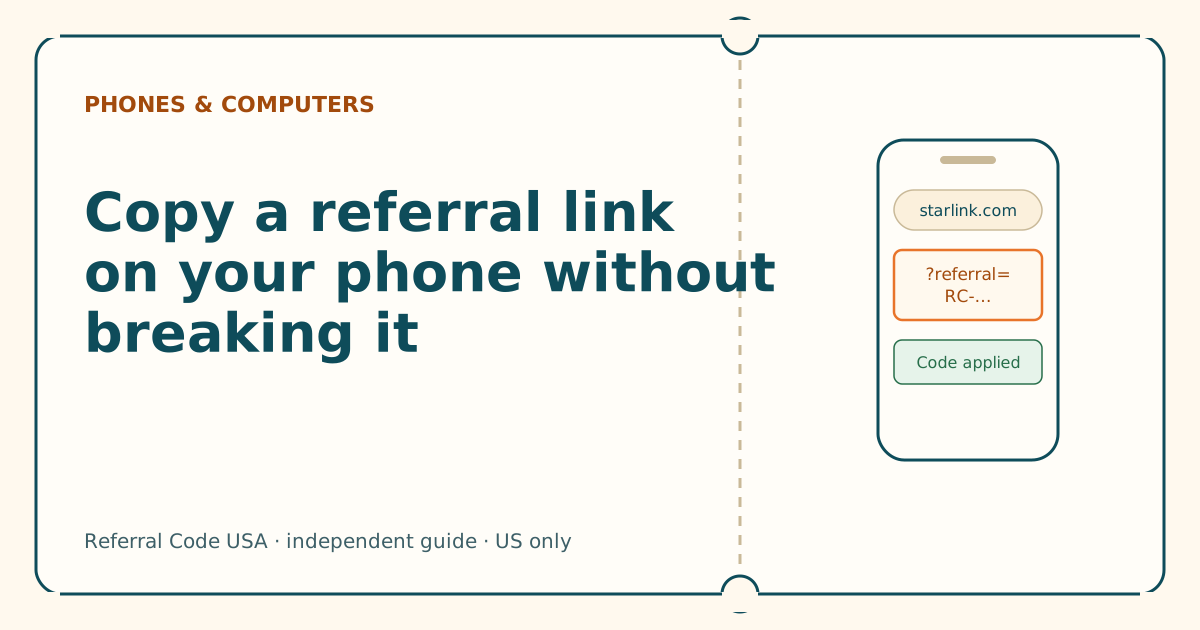
Dragging selection handles across a long link is where codes get cut off. Press and hold the link itself instead, then check the end of what you pasted.
Why isn't my referral code showing? Six questions
Answer six yes-or-no questions in order. The first “no” is almost always your cause, and each one has a fix you can do in a minute.
Sources
What we read for this article, and when. Prices on this site come from one data file, re-read at least every 30 days.
- How do I use a referral link? (Starlink help center), retrieved
- Referral Program Terms, US (DOC-1882-84808-83), retrieved
- How do I refer people to Starlink? (Starlink help center), retrieved
- How to Use Starlink's Referral Program (DISHYtech, third-party guide), retrieved
- Phishing or suspicious emails or texts claiming to be from Starlink (Starlink help center), retrieved
Spotted something out of date? Report it, and see how we check claims.
Independent · not affiliated with SpaceX. Referral Code USA is an independent site. Some pages may show our own Starlink referral code; if you order with it, we may receive a referral reward from SpaceX. That never changes what an article says, and articles about scams carry no code at all. How we make money.