Shortened referral links: see where they go first
A shortened link could be a working referral, a plain starlink.com page or a different website entirely. You can't tell by looking. Here's how to find out without risk.
Key takeaways
- A short link hides its destination. It might be a real referral link, a starlink.com page with no code, or another site.
- The safest check is to ask the sender for the full starlink.com link, copied from their account.
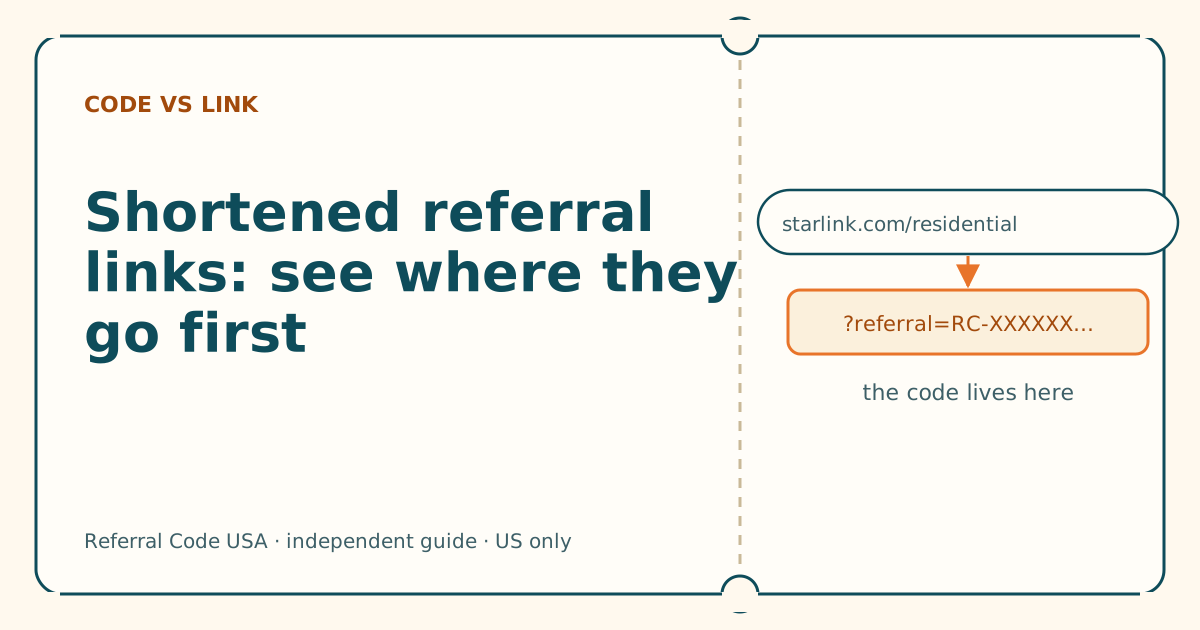
- If you open a short link, read the address bar after it loads: starlink.com, then ?referral=RC- and the code.
- If the final address isn't starlink.com, close it and type nothing.
- Never shorten a referral link yourself before ordering. Some routes drop the code.
On this page
- Why people shorten links
- What a short link can turn into
- How to check one safely
- What the expanded link should show
- Don’t shorten a referral link yourself
- A note on short links that “stopped working”
- QR codes are short links too
- If you’re the one sharing: keep it full length
- What we don’t know
- What to do next
- Questions people ask
- Sources
You can’t tell where a shortened link goes just by looking at it: it might redirect to a working Starlink referral link, to a starlink.com page with no code in it, or to a different website altogether. The safest check is to ask the sender for the full starlink.com link copied from their account. If you do open a short link, read the address bar once the page loads: it should show starlink.com followed by ?referral=RC- and the code. If it shows any other website, close it and don’t type anything.
Why people shorten links
A Starlink referral link is long. With the page path and the code it runs past 50 characters, and some versions carry extra tracking tags on the end. People shorten links for ordinary reasons:
- to fit a link neatly into a text, a social-media bio or a video description,
- to make a link easier to read aloud or print,
- to count clicks (most shortener services show the owner how many times a link was opened).
None of those is sinister. But shortening also hides the one thing you need to check, which is whether the link goes to starlink.com and carries a code. That’s why our link and code checker flags any shortened link as “you can’t see where it goes” rather than passing or failing it.
What a short link can turn into
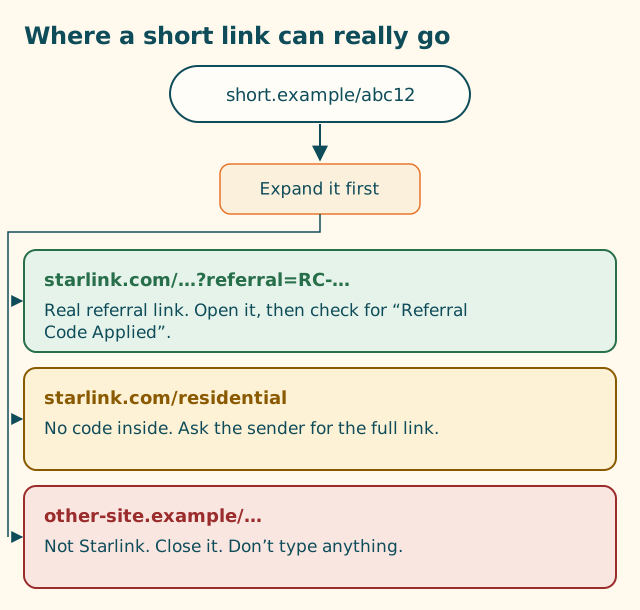
1. A full referral link. The short link redirects to something like https://www.starlink.com/residential?referral=RC-XXXXXX-XXXXX-XX. This is fine. The code arrives in the address bar, and starlink.com reads it as normal.
2. A starlink.com page with no code. The short link redirects to https://www.starlink.com/residential or the home page, with nothing after a question mark. This happens when someone shortened the wrong address, or when something along the way dropped the part after ?. The page looks real (it is real), but there’s no referral attached.
3. Another website. The short link redirects to a look-alike site, a coupon page, a survey, or something worse. A short link is a convenient disguise for phishing, which is why the FTC’s advice on phishing focuses on not following links you can’t verify. Starlink’s own help center says that if a message links to a URL you don’t recognize, don’t click it, and if you already did, do not enter any information on the website that opened.
How to check one safely
Best: ask for the full link
Reply to the sender:
Could you send the full starlink.com link instead of the short one? It’s under Referrals in your Starlink account. Copy and paste is perfect.
Anyone sharing their own referral in good faith can do this in seconds. If a stranger won’t send the full link, that tells you something.
Next best: preview, then read the address bar
If you decide to open the short link:
- Use a normal browser, not an app’s built-in browser, so you can see the full address bar. On a phone, you can copy the short link and paste it into Safari, Chrome or Firefox.
- Let it load, then read the address bar (tap it on a phone to see the whole address). Check, in this order:
- Does the website end in exactly
starlink.combefore the first single slash? See anatomy of a referral link. - Is there a
?referral=part? - Does a code starting with
RC-follow it?
- Does the website end in exactly
- If the website isn’t starlink.com, close the tab. Don’t sign in, don’t type an address or card number, don’t download anything.
- If it’s starlink.com with no code, close it and ask for the full link (outcome 2 above).
- If all three checks pass, copy that full address from the address bar and keep it. That’s now your clean link.
About link-expander tools
Several websites and browser add-ons will “expand” a short link and show you where it redirects without you opening it. They do this by visiting the link themselves. They can be handy, but we haven’t tested any of them and can’t vouch for their privacy or accuracy, so we don’t name one. Be especially careful about browser extensions: installing one gives it broad access to what you browse. Asking the sender remains the cleaner option.
What the expanded link should show
A good result has all of these:
| Check | Good | Bad |
|---|---|---|
| Scheme | https:// |
http:// or something unfamiliar |
| Website | Ends in starlink.com before the first single slash |
Anything else, even with “starlink” in it |
| Parameter | ?referral= present |
No ?, or a different word |
| Code | Starts with RC-, runs to the end or to an & |
Missing, cut short, or not RC- |
| Page content | Starlink’s order pages | Pop-ups, surveys, “you’ve won” messages, download prompts |
Once you’ve opened a good link in the browser you’ll pay in, the next check is on the order page. A third-party walkthrough reports a banner at the top of starlink.com saying you’re using a referral link, and “Referral Code Applied” on the order page before you submit. If you can’t see it, go through the six-question check before paying.
Don’t shorten a referral link yourself
If you’re saving a link to use later, or forwarding it to someone you’re helping, keep it full length. Shortening adds a step where the part after ? can be lost, and it makes the link harder for the next person to check. Paste the full address into a note or message instead. If a messaging app turns it into a preview card, that’s fine, as long as tapping it opens the full address.
A note on short links that “stopped working”
People sometimes report that a short referral link worked yesterday and doesn’t today. Possible causes: the shortener account was closed, the link owner changed where it points, the shortener service is down, or a security filter now blocks it. None of these affect the underlying referral, which lives in the customer’s Starlink account. Ask them for the full link again.
For a new customer, a working referral gives one free month of service on the eligible plan you choose, credited to the second bill.
QR codes are short links too
A QR code is just a link in picture form, and it has the same problem as a short link: you can’t read where it goes by looking at it. A QR code on a flyer, a sticker or a screen might encode a full starlink.com referral link, a short link, or a look-alike site.
- Read the address your camera shows before opening it. Most phone cameras display the web address when they recognize a QR code.
- Apply the same checks as above: starlink.com, then
?referral=RC-and the code. - Be extra careful with QR codes in public places. Stickers can be placed over genuine codes. If the address isn’t starlink.com, don’t open it.
If you’re the one sharing: keep it full length
If you’re sharing your own referral link, send the full starlink.com address from the Referrals section of your account. Shortening it saves a few characters and costs the other person the ability to check it. If you post it somewhere character limits matter, put the full link where people can copy it (a profile link, a pinned message) rather than shortening it. Either way, Starlink’s terms bar referrers from unsolicited messages and paid ads pointing to a referral link, so share it with people who asked.
What we don’t know
- Whether starlink.com treats a referral that arrived through a redirect any differently from one opened directly. Starlink doesn’t say. If the final address bar shows the full link and the order page shows the referral, we know of no reason it would matter.
- Which shortener services preserve the full query string in every case. It varies, and services change.
What to do next
Paste the short link into our link and code checker to see whether it’s flagged, ask the sender for the full address, then follow the where-to-enter walkthrough.
Questions people ask
Do shortened Starlink referral links work?
They can, if the short link redirects to the full starlink.com address with ?referral=RC- and the code intact. You can't tell from the short link itself, so check the address bar after it loads, or ask for the full link.
How can I see where a short link goes without clicking it?
Ask the sender for the full link. Some services and browser tools can expand a short link for you, but they work by visiting the link themselves, and we can't vouch for any particular one. The full link from the sender is the cleanest option.
Why would someone send a shortened referral link?
Usually to make a long address tidy in a text, a bio or a video description. It's not a sign of a scam on its own, but it does hide where the link goes.
I opened a short link and the address bar shows starlink.com but no referral part. What happened?
The code didn't make it. Either the short link pointed to a plain starlink.com page, or something along the way dropped the part after the question mark. Ask the sender for the full link and open that instead.
Can a short link be dangerous?
It can lead anywhere, including a look-alike site or a page that tries to install something. If the page that loads isn't starlink.com, close it, don't type anything, and don't download anything it offers.
Related guides
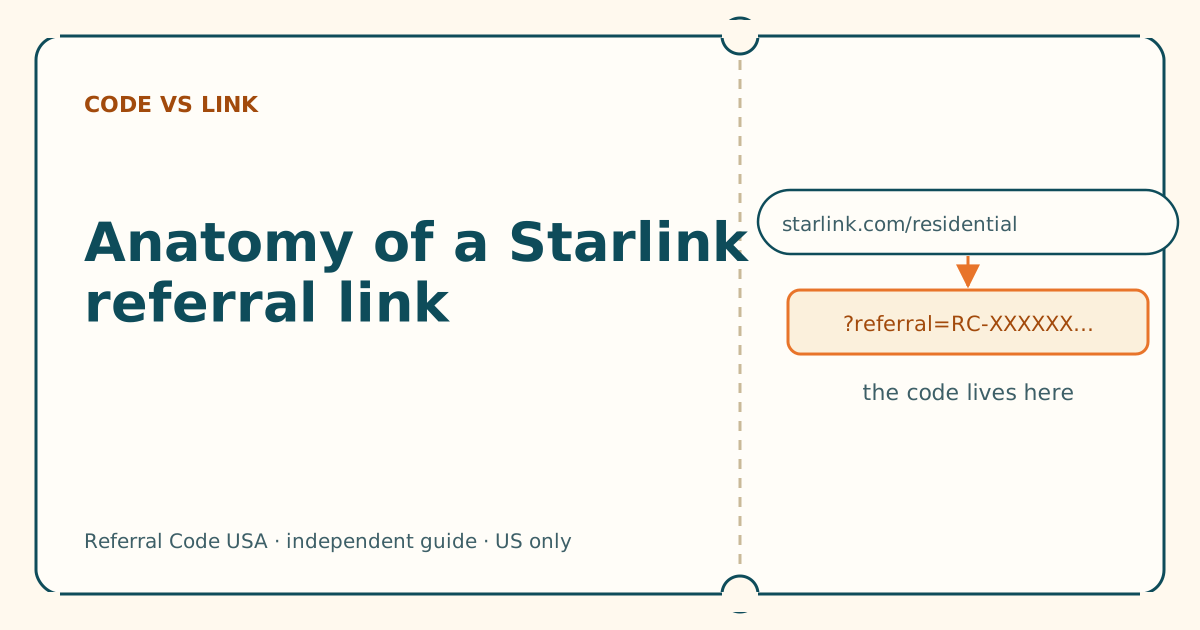
Anatomy of a Starlink referral link, piece by piece
Five parts, one job. Once you can read the address, you can tell a working referral link from a broken or fake one in seconds.
Look-alike domains: spotting starlink.com imitations
A fake site can copy Starlink's look perfectly. It can't copy the address. Learn to read the address, and the disguise stops working.
Using a Starlink referral link from a QR code
Your camera shows the web address before it opens anything. Read that address first, and a QR code works exactly like a link someone sent you.
Sources
What we read for this article, and when. Prices on this site come from one data file, re-read at least every 30 days.
- How do I use a referral link? (Starlink help center), retrieved
- Phishing or suspicious emails or texts claiming to be from Starlink (Starlink help center), retrieved
- How to recognize and avoid phishing scams (FTC Consumer Advice), retrieved
- URL: search property (MDN Web Docs), retrieved
- How to Use Starlink's Referral Program (DISHYtech, third-party guide), retrieved
Spotted something out of date? Report it, and see how we check claims.
Independent · not affiliated with SpaceX. Referral Code USA is an independent site. Some pages may show our own Starlink referral code; if you order with it, we may receive a referral reward from SpaceX. That never changes what an article says, and articles about scams carry no code at all. How we make money.