This site links to starlink.com with the site owner’s own referral code. If you order through it, Starlink may give the owner a referral reward; your price is the same. How we make money.
Changes log · Plans
Standby Mode price doubles, and rented kits can’t use it at all
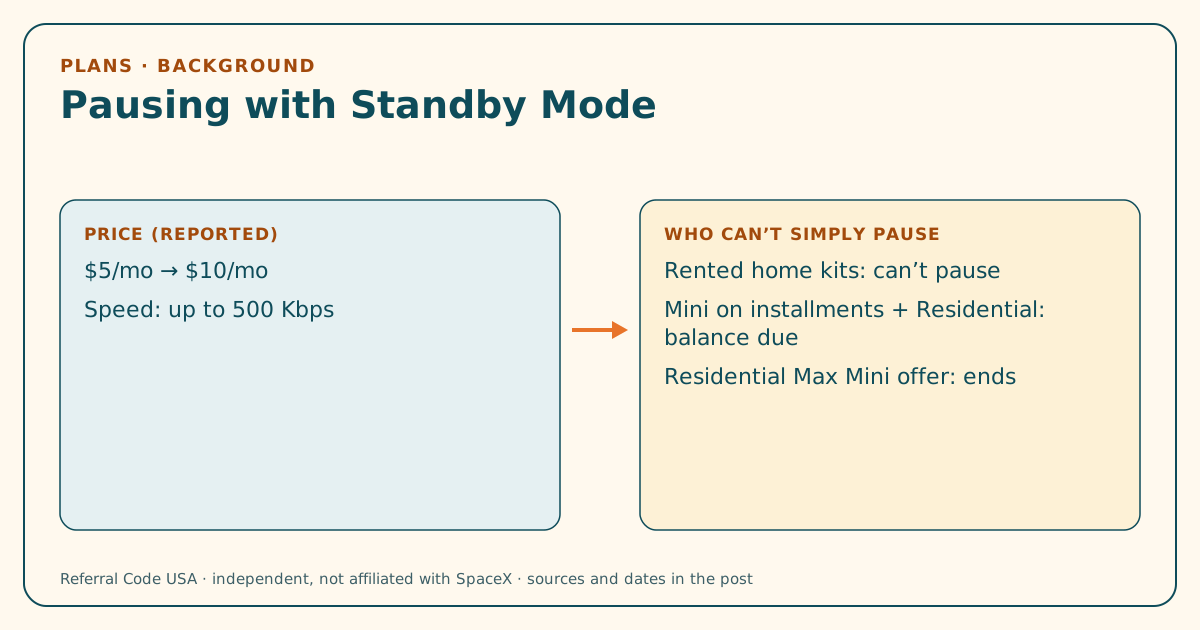
As part of the May 2026 price changes, Starlink's Standby Mode for pausing service was reported to rise from $5 to $10 a month. Starlink's own pages add limits: rented kits can't pause, and pausing can end some offers or trigger charges.
Primary sourceBackground
Change dated Published
BackgroundThis change happened more than 90 days before we published this post. It’s here for context, because it still shapes what a US buyer sees today. Check the source date before relying on it.
The short version
- What changed?
- The Mobile Internet Resource Center reported on May 16, 2026 that Standby Mode would double in price, alongside the plan increases. Starlink's help center now says customers using a Rental Kit "will be unable to pause their service".
- When did it change?
- Price change reported May 16, 2026, on the same timetable as the plan increases. The rental article was last edited Aug 7, 2026. We read everything on Oct 6, 2026.
- Who is affected?
- Anyone who planned to pause Starlink between seasons or trips, especially new Residential customers on rented kits and Mini installment buyers.
- What should you do now?
- Before ordering, decide whether you'll need to pause. If you will, read the rental, installment and special-offer terms that apply to you. Each treats Standby Mode differently.
- What stays the same?
- Standby Mode doesn't count toward the referral's minimum subscription. The terms exclude it from the "high-speed" plan a referred customer must keep. There's still no code involved anywhere.
What happened
Standby Mode lets a customer pause high-speed service and keep a very slow connection for a small monthly fee. When Starlink emailed US customers about higher plan prices in May 2026, the Mobile Internet Resource Center reported that Standby Mode would rise from $5 to $10 a month, on the same timetable as the plan increases. That meant new customers right away and existing customers on billing cycles on or after Jun 18. See our plan price post.
We couldn’t find the Standby price on a public Starlink page, so the figure is labelled as reported. Starlink’s pages do say what Standby Mode is and when it can be used.
What Starlink’s pages say about pausing
- Speed. Starlink’s Specifications (published Mar 11, 2026) say Standby Mode offers speeds “up to 500 Kbps download and upload”.
- Rented kits can’t pause. The help article on renting, edited Aug 7, 2026, says rental customers “will be unable to pause their service”. In 2026 many new Residential orders came with rented kits. See the kit rental post.
- Mini installments. The Retail Installment Agreement (Jul 21, 2026) lists turning on Standby Mode on a Residential plan as an action that makes the rest of the Mini balance due at once. Roam plans may use Standby. See the installment post.
- Residential Max Mini offer. The Special Offers document (Aug 12, 2026) says activating Standby Mode on Residential Max ends the free Mini rental and Roam discount.
- Demand surcharge. Starlink’s help article says Standby doesn’t waive a demand surcharge. It only keeps your eligibility at an address where you’ve already paid one.
What it means for someone using a referral code
The Referral Program Terms (republished Oct 3, 2026) define the minimum subscription as continuous subscription to a “high-speed Starlink service plan (excludes Standby Mode)”. So a new customer who pauses with Standby before finishing two full billing cycles may not meet the referral’s minimum. Starlink’s wording is about the referrer’s reward maturing. Its help article on using a link also says to “stay subscribed for at least 2 months”. The safe reading is to keep a full plan active for the first two months. Our FAQ covers the timing, and the glossary defines Standby Mode and billing cycles.
What you can check now
- Before ordering, check whether your order is a rental. If so, plan on not being able to pause.
- If you’re financing a Mini, read which actions make the balance due early.
- Ignore claims of a “free Standby code”. See our myths page.
What stays the same
Standby Mode is still offered on owned kits and Roam plans. There’s still no code box at checkout.
What we don’t know yet
- We couldn't find the Standby Mode price on a Starlink page we can read without an account. The figures come from the reported customer email (checked 2026-10-06).
- Starlink hasn't said whether rental customers will ever be allowed to pause.
Sources
- Starlink Roam, Residential and Standby Mode price increases (Mobile Internet Resource Center)
- What is the rent Starlink option? (Starlink help center)
- Starlink Specifications, US (Standby Mode speed)
- What is a demand surcharge? (Starlink help center)
- Referral Program Terms, US (DOC-1882-84808-83)
“Customers using a Rental Kit will be unable to pause their service.”
Something out of date? Report it.
Corrections log
No corrections yet. If we fix anything here, the date, what was wrong and what’s right now will be listed in this box.
Independent · not affiliated with SpaceX. The site owner may get a referral reward if you order Starlink with the site’s referral code; that never decides what we report, and nothing in this post depends on whether you use a code. How this site makes money · How we check claims.